
Context
The conversation, contact details and previous promises stay together.
Bring messaging, email, live chat and calls into one queue so the team can answer from a single view of the customer.
Bring messaging, email, live chat and calls into one queue so the team can answer from a single view of the customer.
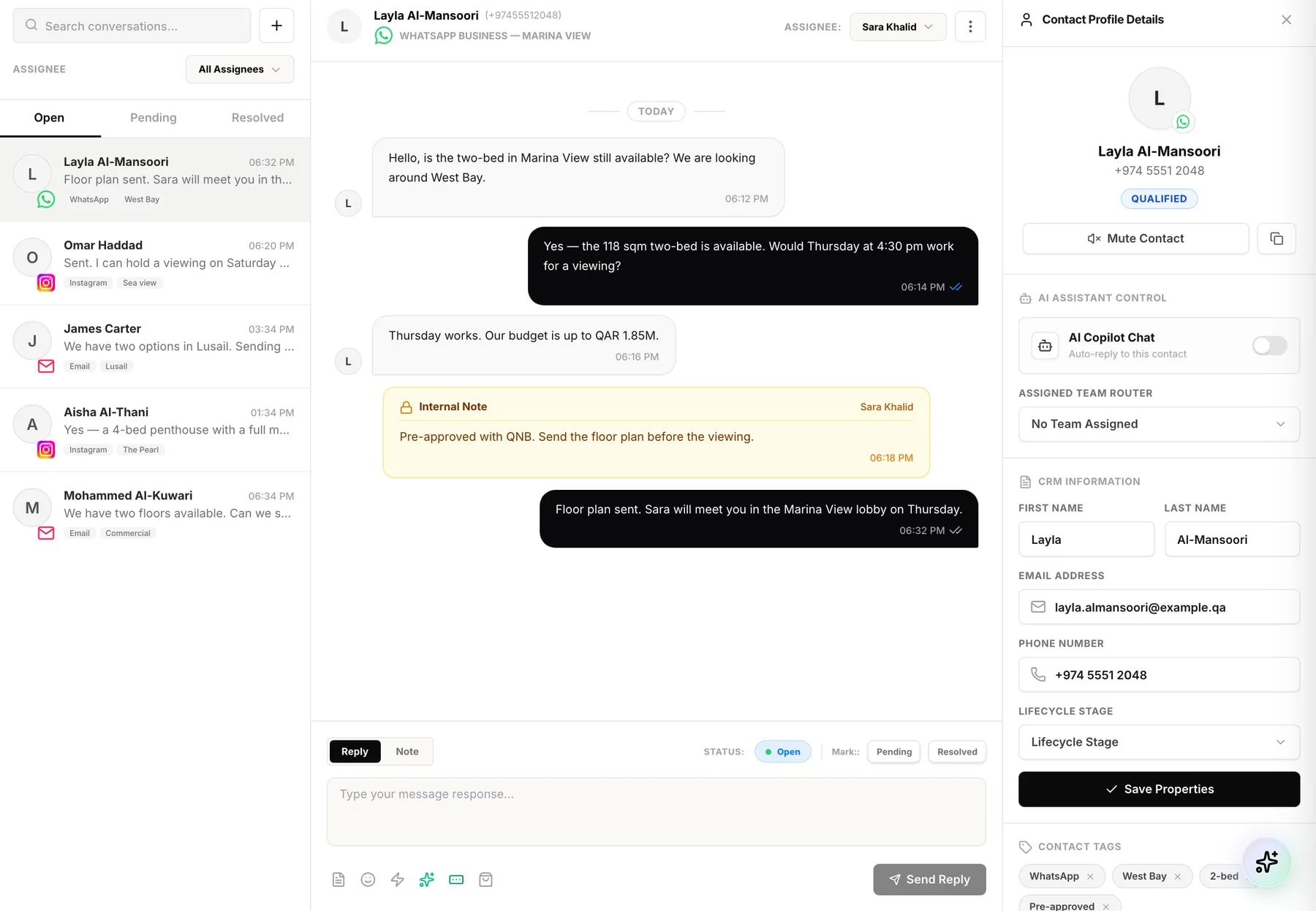
Most teams lose sales in the gaps: an unanswered DM, a missed call, a follow-up nobody remembers. Jutatri connects your channels, AI and CRM so every lead gets a fast reply and a clear next step.
Plug in WhatsApp, Instagram, email, live chat and phone calls. Every customer message lands in one shared inbox.
Your AI answers common questions, captures lead details and books meetings — then hands over to your team when a person is needed.
Follow up automatically, track every lead in the CRM and see exactly which channels and campaigns bring in revenue.
Ready to see it with your own channels?
Start free — 14 daysThe workspace is only useful if the team can see what happened, what happens next and who is responsible for it.
The conversation, contact details and previous promises stay together.
Every open conversation has a named person or team responsible for the next step.
Managers can inspect the queue and the exceptions, not only the closed deals.
Straight answers about the product and the limits. If something is not listed here, ask us before you assume it is included.
No. The workspace unifies the queue and record, but each channel has its own rules, templates and limitations.
Yes. Start with the channel that creates the most work, then add another when the queue and ownership are working.
Put every chat, call and follow-up in one place. Let AI handle the repetitive work while your team closes more deals.
No credit card required · Set up in minutes · Cancel anytime